Satellite TODAY
Welcome to Satellite TODAY, the Internet's leading source for business news, market research and competitive analysis in the satellite communications industry. To learn more about a paid subscription as well as complimentary content on this site, please click subscribe.
Home  |  Login  |  Advertise
Satellite Store Subscriptions About Us

Via Satellite Introduces an Exclusive Three-part C-Band Webinar Series

Now Available On Demand - Click here

What Should The Satellite Industry Do In The Aftermath Of The Decision Made By WRC-07? - Presented on December 4, 2007

What Steps Can The Industry Take As WRC-07 Gets Underway?
- Presented on October 16, 2007

How Serious Is The Threat To Satellite's C-Band Spectrum?
- Presented on September 25, 2007


Register Now


One fee per site per webinar.  Invite your entire team and participate from your conference room.
***$299 per location/per webinar.
We are offering different package options if you choose to attend multiple webinars. (See Registration page for details.)

Each registration comes with access to the archived version of the program and the materials for one year.

Register Now

Overview

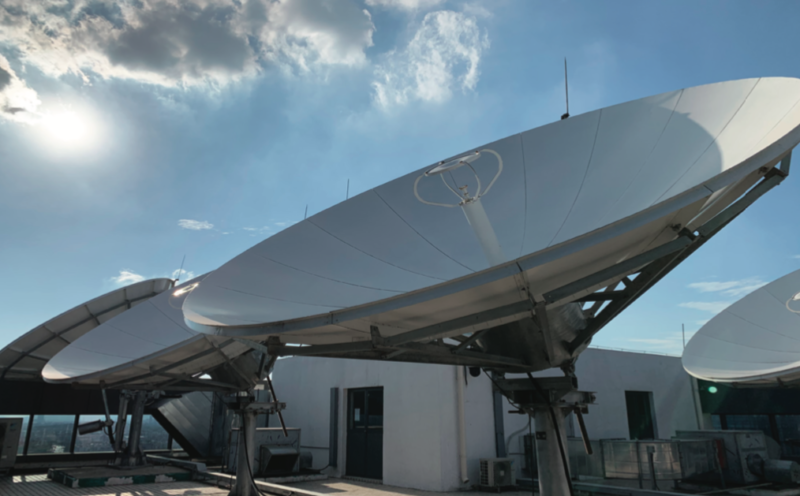
Satellite operators use C-band to provide essential services such as TV transmissions, distance learning, telemedicine and disaster recovery, and in some countries C-band spectrum serves as the core communications network. But communications via satellite using radio frequencies around 4 gigahertz may face an interference threat from the rollout of mobile broadband technologies.

This is a key issue on the agenda for the ITU’s World Radiocommunication Conference (WRC-07) and the satellite industry needs to be made aware of the situation.

Get your questions answered including:
  • What are the complementary and competing aspects between WiMax and satellites?
  • What are the implications of WiMax interference to satellite C-Band?
  • Which regions of the world will be most affected by this decision?
  • And more!

Return to top

How does a Webinar work?

The live audio is delivered to your location over the telephone or your computer speakers. The Power-Point presentations are presented over the Internet and are available to print out before the program. This is like a talk-radio program with visuals on the Web. You and your team will be able to have a live Q&A with all the speakers.
 You need Real Player or Windows Media Player installed on your computer. If you do not have either, please follow the instructions below to download and install them. Or if you prefer, a phone for the audio and an Internet connection to let you watch the slides and other information on the Web will suffice. No other downloads or special hardware needed - a dial-up connection will work fine. 

  • One (1) set of materials (you may make copies for all of the persons you invited to listen to the program);
  • One (1) toll-free connection to the seminar (if you select the audio connection), and
  • One (1) Internet connection to the seminar.

Use speakers on your computer or speakerphone on your telephone and invite your entire staff to attend for one low price of 299 USD per site.  Package options are available if you register for multiple webinars.
See registration for details.

Register Now

 
Return to top

What equipment do I need?

For the audio connection:

  • A computer with Real Player or Windows Media Player installed. When you log into the Virtual Seminar, your computer will be taken through a brief configuration check and will let you know if you're missing any software.
  • If you do not have Real Player or Windows Media Player, a touch-tone telephone also will work. It works best to use a speakerphone so that others can listen too.

For the Internet connection:

  • PC: 166Mhz Pentium-based PC or better
  • Operating system: Windows 95, 98, NT, 2000, XP <
  • Browser: For optimal viewing experience, we recommend using Internet Explorer 6.0 or higher. However, any version of IE 4.0 or higher will work. For Netscape, only versions 4.x are supported at this time.
  • Internet connection: 28.8 or faster connection
  • Display set at 1024 x 768 or 800 x 600

Player Downloads

If using Microsoft Windows Media Player, Version 6.4 or later is required.
Download a supported Microsoft Windows Media Player

If using RealPlayer, Version 7.0 or later is required.
Download a supported RealPlayer

Questions?

If you are having any technical difficulties or need assistance meeting these requirements, please contact our Technical Support Center at 1-866-709-8255 or click here. For content questions regarding the Webinars, contact Jason Bates +1-301-354-1807 or email jbates@accessintel.com


Register Now

Return to top


Home | VIP Subscriptions | Resources | Login | About Us | Privacy Policy | Shopping Cart | Site Map
ST's SATELLITE NEWS ANALYSIS | SATELLITE 2008 | VIA SATELLITE MAGAZINE | STRATEGIC PLANNING AND RESOURCE GUIDE | SATELLITE BUSINESS SOLUTIONS